Set up MCP配置 MCPMCP をセットアップ
Choose your AI app, get a FastMoss key, and verify the connection with a real TikTok Shop data question.选择你的 AI 应用,获取 FastMoss Key,再用一个真实的 TikTok Shop 数据问题验证连接。AI アプリを選択し、FastMoss キーを取得して、実際の TikTok ショップデータ質問で接続を確認します。
Choose your AI选择你的 AIあなたの AI を選択
Pick the AI client or model you use below and follow its config, remote or local.在下方选择你使用的 AI 客户端或模型,按它的远程或本地配置操作。使用している AI クライアントまたはモデルを選択し、リモートまたはローカルの設定に従ってください。
Verify your connection验证连接Verify your connection
Run one real business query to confirm that live FastMoss data is available.跑一个真实业务查询,确认能拿到 FastMoss 实时数据。実際のビジネスクエリを実行して、FastMoss のライブデータが利用可能であることを確認します。
Claude Desktop
Steps步骤Steps
- 1Download Claude Desktop here.从这里下载 Claude Desktop。Claude Desktop をダウンロード。
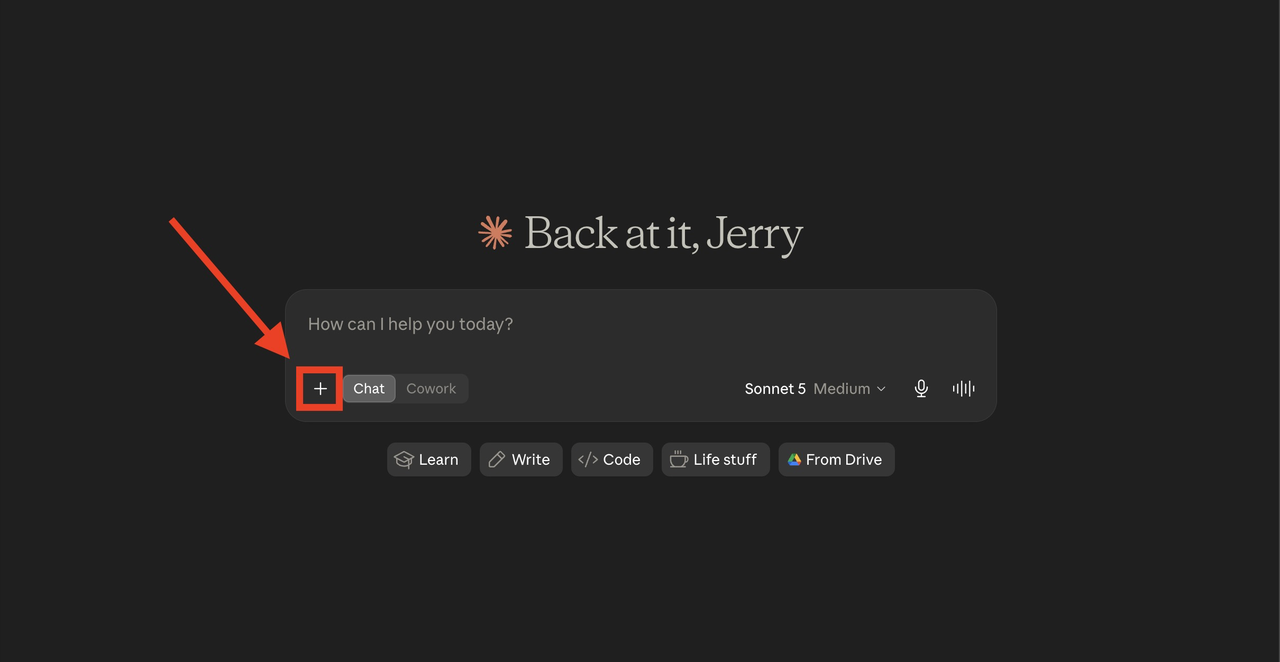
- 2Open a new chat, and click "+".开启一个新对话,点击「+」。新しいチャットを開き、「+」をクリック。
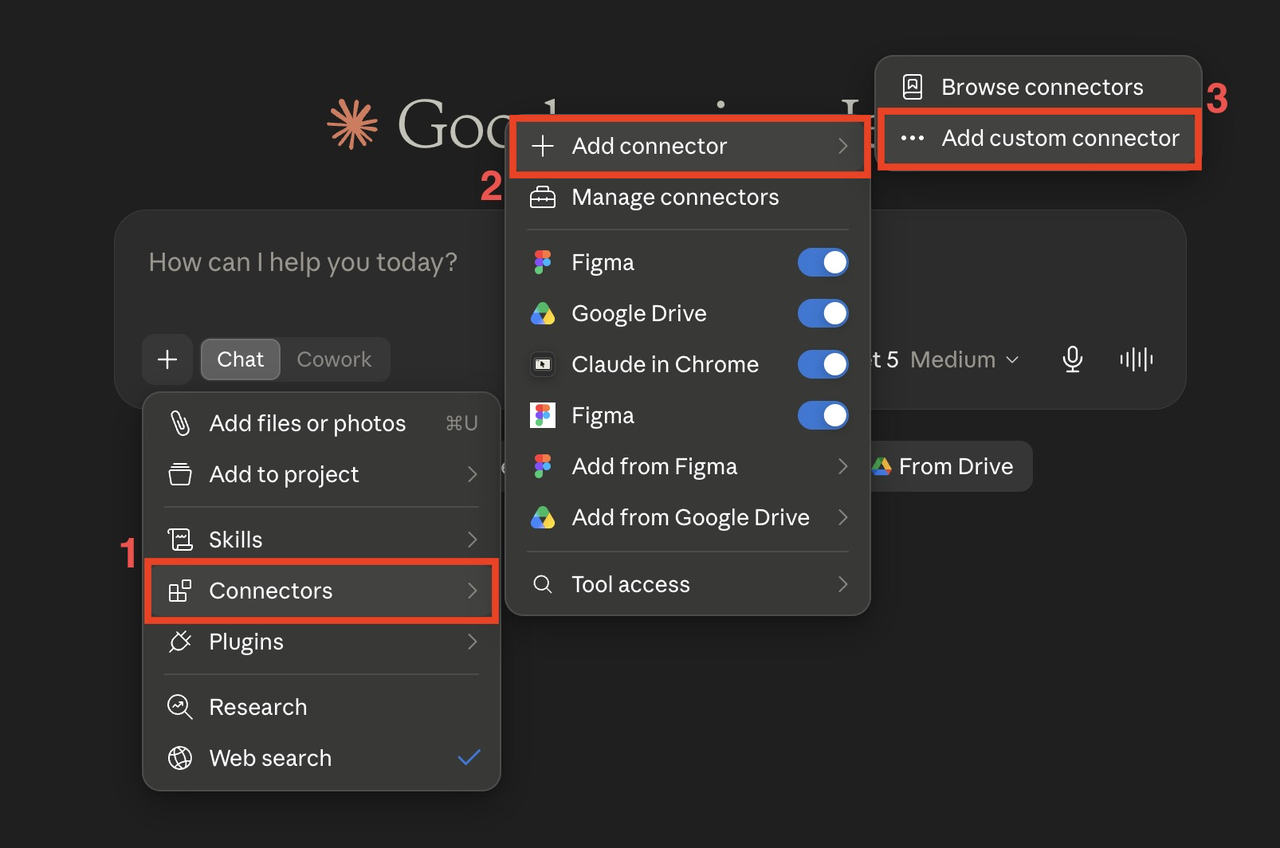
- 3Click according to the number sequence shown in the image below.按照下图中的数字顺序依次点击。下図の番号順にクリック。
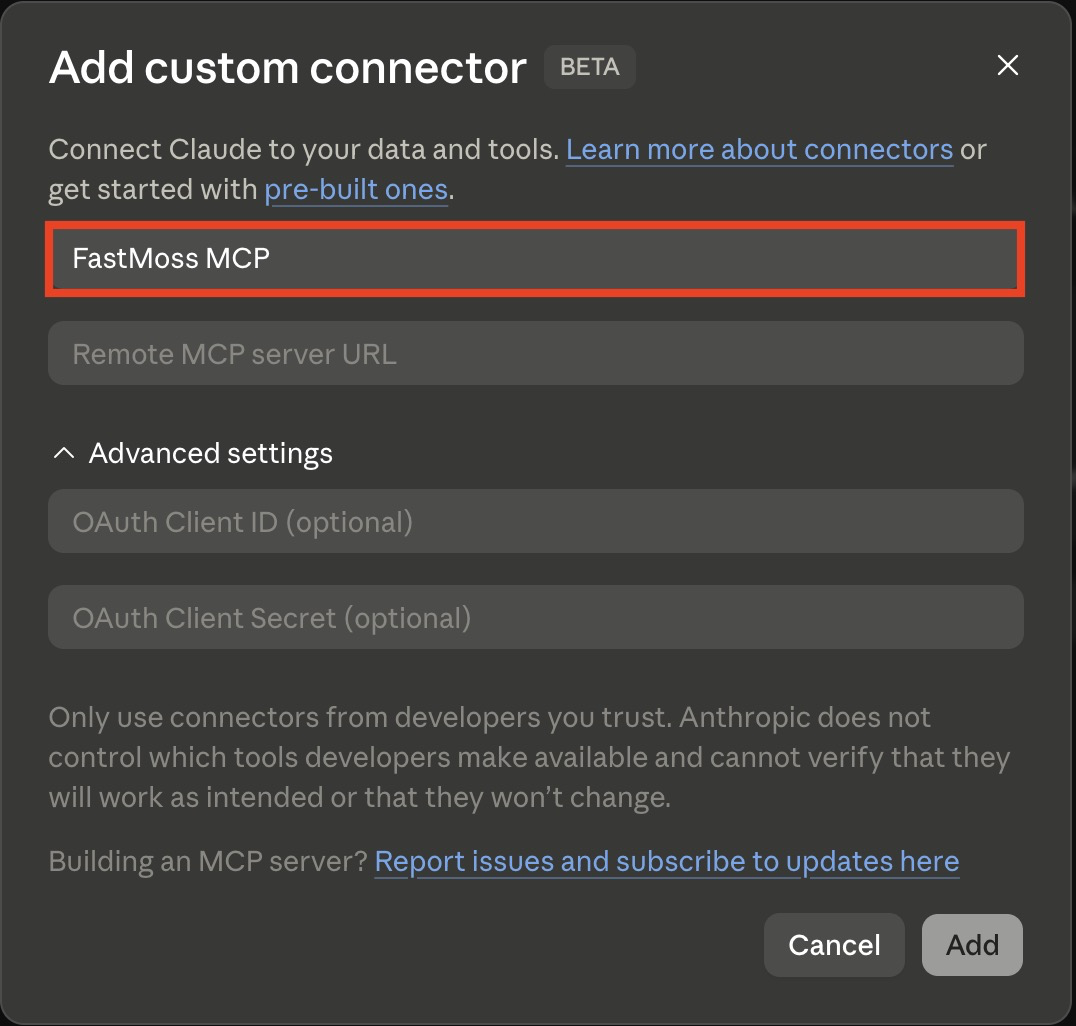
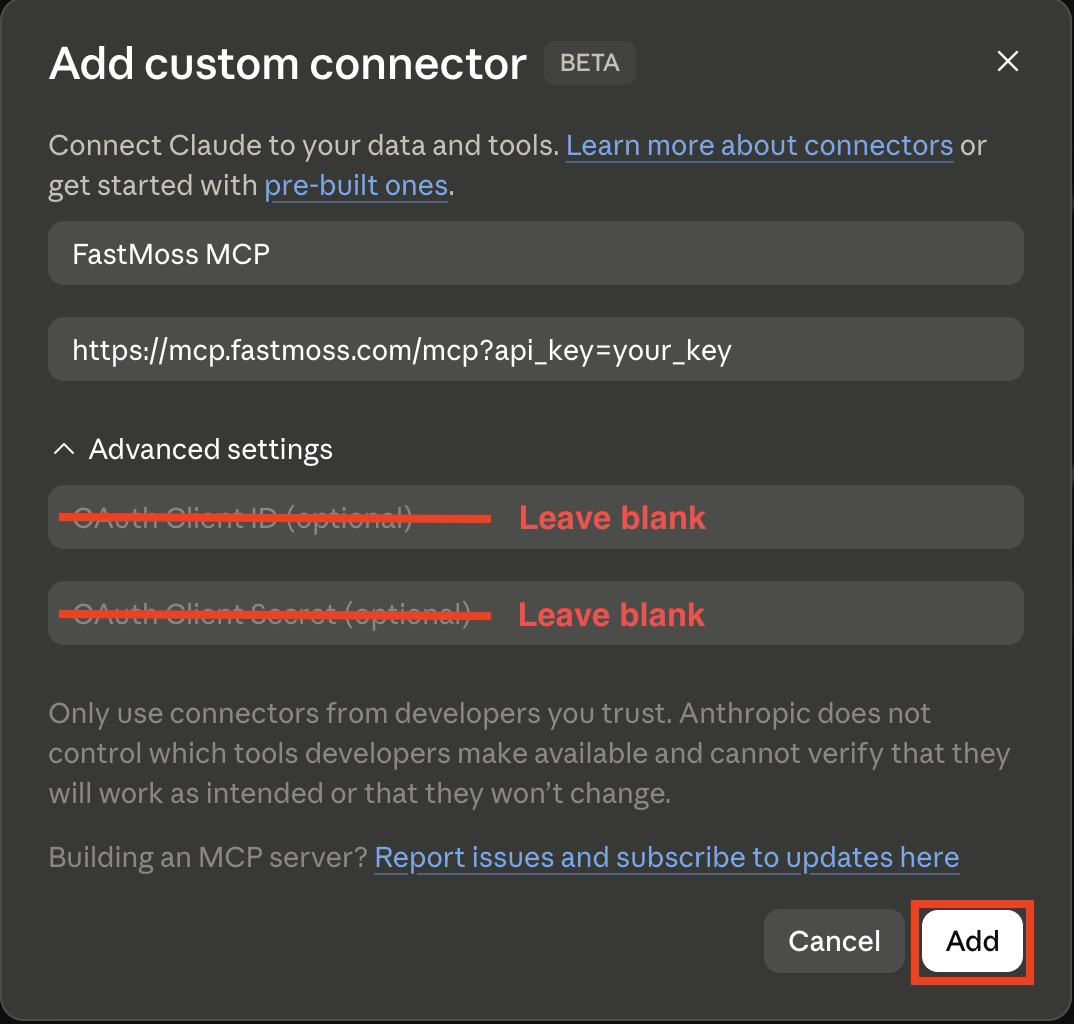
- 4In the "Name" column, name it "FastMoss MCP".在「Name」栏位中,命名为「FastMoss MCP」。「Name」欄に「FastMoss MCP」と入力。
- 5For the "Remote MCP server URL" column:关于「Remote MCP server URL」栏位:「Remote MCP server URL」欄について:
- Step 1:步骤 1:Paste the API key you just copied into the highlighted slot below, then click the copy button on the right to copy the complete URL.把你刚刚复制的 API Key 贴到下方高亮的空格里,然后点击右侧的复制按钮,复制出完整的 URL。コピーした API キーを下のハイライト欄に貼り付け、右側のコピーボタンで完全な URL をコピー。https://mcp.fastmoss.com/mcp?api_key=12
- Step 2:步骤 2:Paste your own URL into the "Remote MCP server URL" column in Claude.把你自己的 URL 贴到 Claude 的「Remote MCP server URL」栏位中。自分の URL を Claude の「Remote MCP server URL」欄に貼り付け。
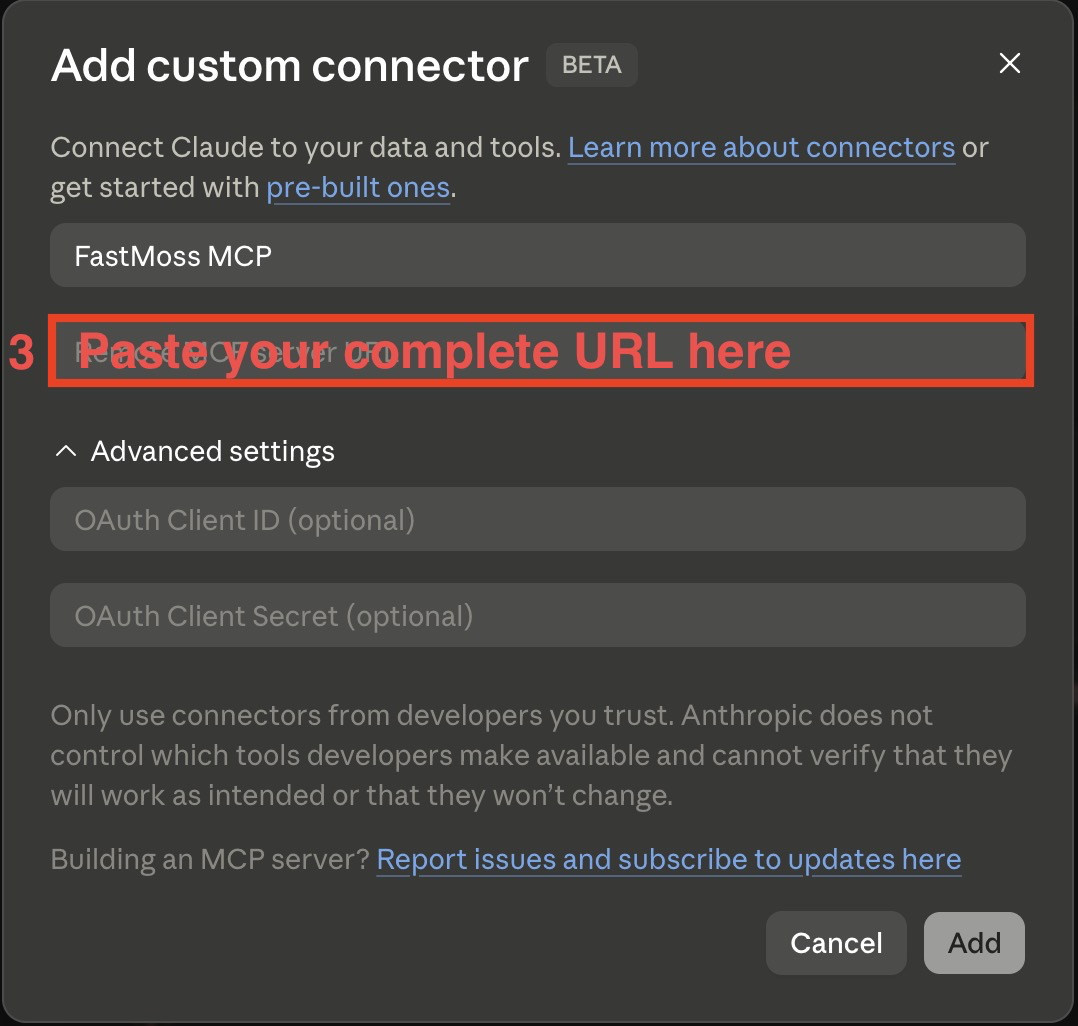
- Step 1:步骤 1:Paste the API key you just copied into the highlighted slot below, then click the copy button on the right to copy the complete URL.把你刚刚复制的 API Key 贴到下方高亮的空格里,然后点击右侧的复制按钮,复制出完整的 URL。コピーした API キーを下のハイライト欄に貼り付け、右側のコピーボタンで完全な URL をコピー。
- 6Ignore both "Advanced settings" fields for now. Once your setup looks like the image below, click the "Add" button in the corner — your FastMoss MCP is all set.暂时忽略「Advanced settings」的两个栏位。确认你的设置与下图一致后,点击角落的「Add」按钮,FastMoss MCP 就配置完成了。「Advanced settings」は無視。下図の設定を確認したら、隅の「Add」をクリックして完了。
Verify your connection验证连接Verify your connection
- Make sure your FastMoss MCP is on.确认你的 FastMoss MCP 已开启。Make sure your FastMoss MCP is on.
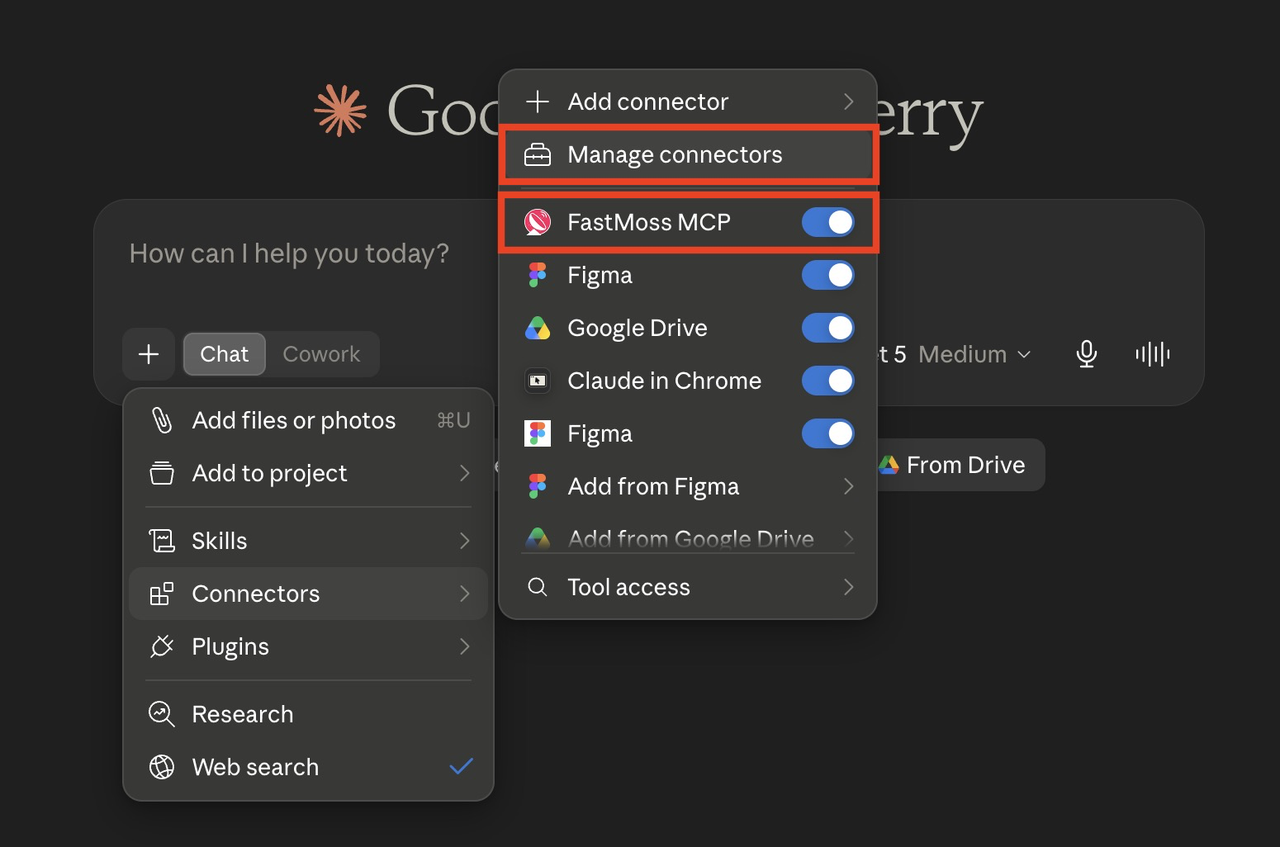
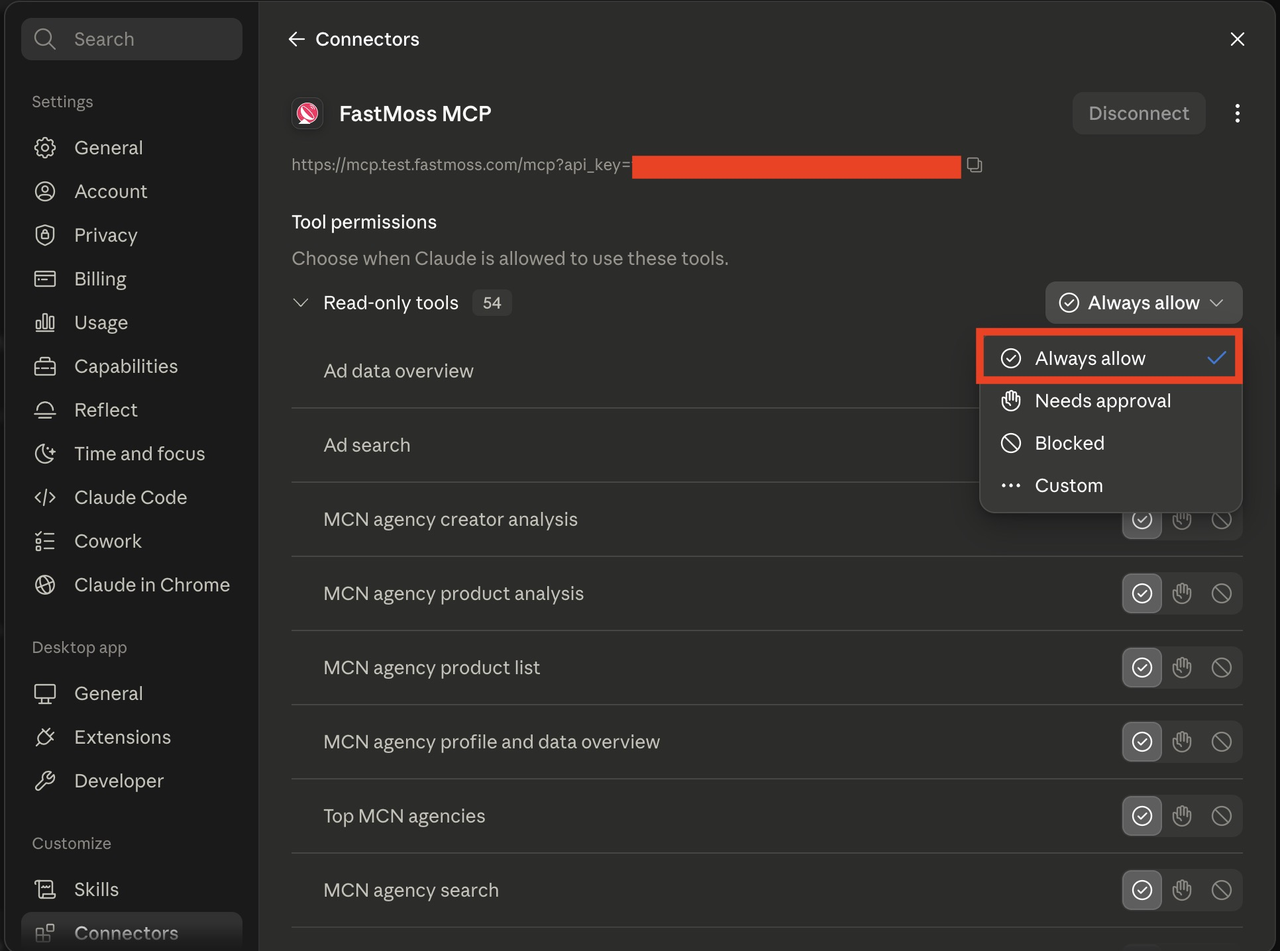
- Click "Manage connectors", select FastMoss MCP, and set the tool permissions to "Always allow".点击「Manage connectors」,选择 FastMoss MCP,并将工具权限设为「Always allow」。Click "Manage connectors", select FastMoss MCP, and set the tool permissions to "Always allow".
Make MCP even better让 MCP 更强MCP をさらに活用する
SKILLSIdentify winning products and benchmark against competitors using structured ranking and trend logic.用结构化的排序与趋势逻辑找出爆品,并与竞品做对标。Identify winning products and benchmark against competitors using structured ranking and trend logic.
2 skills2 个技能2 skillsFind and evaluate creators by niche, GMV potential, and audience fit — ready for collab outreach.按垂类、GMV 潜力与受众匹配度筛选并评估达人,直接用于合作建联。Find and evaluate creators by niche, GMV potential, and audience fit — ready for collab outreach.
1 skill1 个技能1 skillAudit a shop's product mix, pricing gaps, and creator strategy to surface quick wins.审视店铺的商品结构、定价缺口与达人策略,找出可快速见效的机会点。Audit a shop's product mix, pricing gaps, and creator strategy to surface quick wins.
1 skill1 个技能1 skillGenerate scripts, hooks, and product copy grounded in real sales and engagement data.基于真实销售与互动数据,生成脚本、开场钩子与商品文案。Generate scripts, hooks, and product copy grounded in real sales and engagement data.
1 skill1 个技能1 skill